
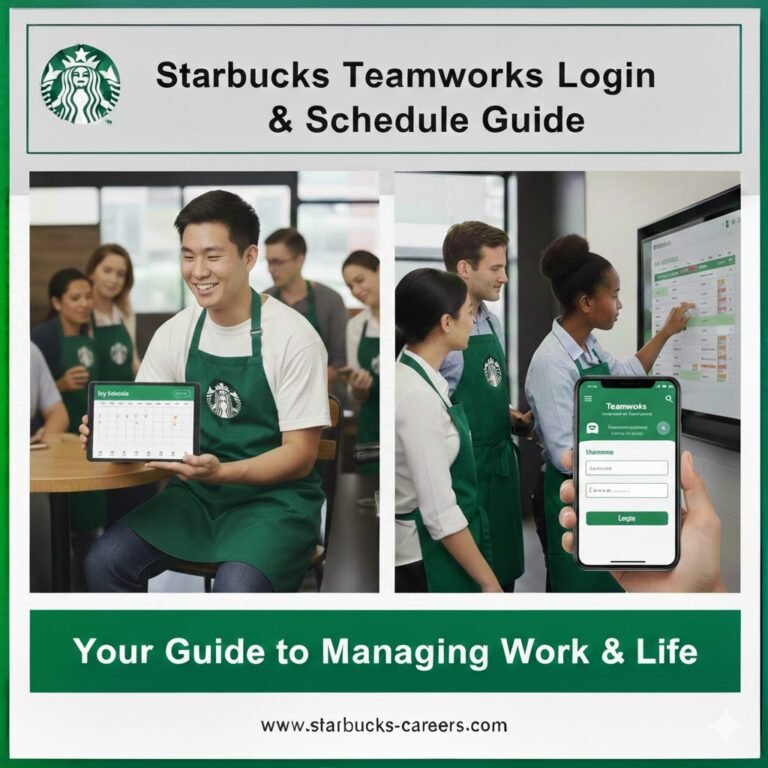
Starbucks Teamworks: Complete Login, Schedule, Rota & Compliance Guide
If you’re a partner working for Starbucks Corporation, your schedule affects everything your income, overtime eligibility, holiday pay, and work-life balance. That’s where Starbucks Teamworks comes in.
Starbucks Teamworks is the company’s internal workforce management system used to publish schedules (called rotas in the UK), manage shift swaps, process time-off requests, and align hours with payroll and labor laws. It is used across the United States, United Kingdom, and Canada.
Many partners confuse Teamworks with “Partner Hours” or assume it’s just a schedule viewer. In reality, it’s a structured scheduling and compliance platform designed to coordinate staffing, track hours, and support regulations such as the Fair Labor Standards Act in the U.S., the Working Time Regulations 1998 in the UK, and provincial Employment Standards Acts in Canada.
Understanding how Teamworks works and how it differs from Partner Hours helps you avoid missed shifts, payroll confusion, and overtime misunderstandings.
What Is Starbucks Teamworks?
Starbucks Teamworks is the internal workforce management system used by Starbucks partners to view schedules, swap shifts, request time off, and manage availability. It connects scheduling, labor compliance, and payroll systems into one secure employee portal.
It functions as a shift scheduling software platform across stores operated by Starbucks Corporation.
Benefits of Starbucks Teamworks
Starbucks Teamworks offers structured advantages for both partners and store leadership. It is not just a schedule board it is a coordination system designed to balance flexibility and compliance.
1. Transparent Scheduling
Partners can:
-
See shifts in advance
-
Monitor total weekly hours
-
Plan around school, family, or second jobs
This reduces last-minute surprises and miscommunication.
2. Structured Shift Swaps
Instead of informal text-based swaps, Teamworks:
-
Requires formal submission
-
Routes requests to managers
-
Prevents unapproved coverage gaps
This protects both partners and the store from compliance risks.
3. PTO & Holiday Management
Teamworks supports:
-
PTO tracking in the United States
-
Statutory holiday planning under UK law
-
Vacation and statutory holiday coordination in Canada
For example:
-
U.S. partners may track PTO accumulation.
-
UK partners are entitled to 5.6 weeks of paid holiday under the Working Time Regulations.
-
Canadian partners follow provincial Employment Standards Acts for vacation and stat holidays.
The system ensures requests are documented and approved properly.
4. Overtime Awareness & Labor Compliance
While payroll systems finalize overtime pay, Teamworks helps managers monitor hours to reduce violations under:
-
The Fair Labor Standards Act (U.S.)
-
Working Time Regulations (UK)
-
Provincial Employment Standards legislation (Canada)
This minimizes legal risk and unexpected pay issues.
5. Payroll Alignment
Teamworks integrates with internal HR and payroll systems.
Although it does not process pay directly, it ensures:
-
Scheduled hours align with recorded hours
-
Leave is properly documented
-
Overtime triggers are visible
This reduces discrepancies between worked hours and paychecks.
6. Mobile & Remote Access
With secure authentication, partners can:
-
Check schedules from home
-
Receive shift notifications
-
Submit swap requests instantly
This increases flexibility and accessibility across all three countries.
7. Accountability & Documentation
Every shift swap and leave request creates a record.
Starbucks benefits include:
-
Clear approval trails
-
Reduced scheduling disputes
-
Accurate leave tracking
-
Protection for both partner and manager
This documentation helps prevent misunderstandings.
8. Better Work-Life Planning
Because schedules are visible in advance and changes require approval, partners can:
-
Avoid accidental overtime
-
Plan travel or exams
-
Coordinate childcare
-
Budget more accurately
Predictability improves overall job stability.
Who Can Access Starbucks Teamworks?
Starbucks Teamworks is available to:
-
Baristas
-
Shift Supervisors
-
Store Managers
-
District Managers
-
Active partners in the USA, United Kingdom, and Canada
Access requires a valid partner number and login credentials provided during onboarding.
Is Starbucks Teamworks Available in the UK and Canada?
Yes. Starbucks Teamworks is used across the United States, the United Kingdom, and Canada. Core functionality is similar, but labor rules, terminology, and holiday entitlements vary by country.
In the UK, schedules are often called “rotas.” In Canada and the USA, they are typically called “schedules.”
How to Log Into Starbucks Teamworks
Step 1: Access the Official Partner Portal
Log in through the Starbucks internal employee portal or Partner Hub.
Step 2: Enter Credentials
You will need:
-
Partner number
-
Password
Step 3: Complete Multi-Factor Authentication
Some regions require additional verification.
Step 4: Access Your Dashboard
Once logged in, you can:
-
View weekly schedule
-
Check upcoming shifts
-
Submit time-off requests
-
Swap shifts
If login fails, use the password reset feature or contact your store manager.
Can You Log Into Starbucks Teamworks From Home?
In most cases, yes if remote access is enabled in your region. Some stores may restrict access to secure networks depending on internal security policies.
If you receive an access error outside store Wi-Fi:
-
Clear browser cache
-
Update app
-
Confirm credentials
-
Contact your manager
Key Features of Starbucks Teamworks
Starbucks Teamworks is more than a simple schedule viewer. It integrates:
-
Workforce management system functionality
-
Time tracking integration
-
Payroll system alignment
-
Labor compliance tracking
-
Availability management
Core Capabilities
✔ Weekly schedule visibility
✔ Shift swap requests
✔ Open shift pickup
✔ PTO or holiday requests
✔ Availability updates
✔ Overtime monitoring support
Schedule vs Payroll: What’s the Difference?
A common confusion among partners is whether Teamworks calculates payroll.
Teamworks shows:
-
Scheduled hours
-
Assigned shifts
-
Approved leave
It does not replace the payroll system. Payroll processing happens separately through Starbucks’ HRIS and compensation systems.
Always verify:
-
Clock-in times
-
Break compliance
-
Holiday pay adjustments
Shift Swaps: How They Work
Shift swapping is available across the USA, UK, and Canada, but it must meet store and labor rules.
How to Swap a Shift
-
Open your scheduled shift.
-
Select “Offer Shift” or “Swap Shift.”
-
Choose an eligible partner.
-
Submit for manager approval.
A shift is not official until approved.
Can You Swap Across Locations?
Generally, no unless you are officially assigned to multiple locations. Cross-store swaps require district-level approval in most regions.
Paid Time Off (PTO) & Holiday Requests
Leave terminology differs by country.
| Country | Leave Type | Minimum Legal Framework |
|---|---|---|
| USA | PTO (varies by employer policy) | Fair Labor Standards Act (FLSA does not mandate PTO) |
| UK | Statutory Holiday | 5.6 weeks under Working Time Regulations 1998 |
| Canada | Vacation Pay + Stat Holidays | Provincial Employment Standards Acts |
How to Submit PTO (USA)
-
Go to “Time Off Requests.”
-
Select dates.
-
Choose PTO category.
-
Submit for approval.
Approval depends on staffing and store needs.
How to Request Holiday Leave (UK)
UK partners use rota-based scheduling and must receive at least 5.6 weeks of statutory paid holiday annually under the Working Time Regulations 1998.
Holiday requests:
-
Must be submitted in advance
-
Can be declined if staffing requires coverage
Statutory Holiday Pay in Canada
Canadian partners’ leave entitlements vary by province.
For example:
-
Ontario follows the Employment Standards Act (Ontario)
-
Federal workers follow the Canada Labour Code
Stat holiday pay rules depend on province and employment duration.
Overtime Rules by Country
United States
Overtime is governed by the Fair Labor Standards Act (FLSA).
-
Typically applies after 40 hours per week
-
Some states (California) apply daily overtime rules
-
State laws may override federal minimums
Example:
California requires overtime after 8 hours in a day.
United Kingdom
The UK does not mandate overtime pay by default, but total weekly hours are capped at 48 hours unless employees opt out under the Working Time Regulations.
Pay rates are employer-determined but must comply with the National Minimum Wage Act.
Canada
Overtime thresholds vary by province:
-
Ontario: 44 hours per week
-
British Columbia: 8 hours per day or 40 per week
-
Alberta: 44 hours per week
Each province’s Employment Standards Act defines overtime eligibility.
When Are Starbucks Schedules Posted?
Most stores publish starbucks schedules weekly.
Typical posting cadence:
-
1–2 weeks in advance
-
Adjustments possible for staffing changes
Check Teamworks regularly to avoid missed updates.
Starbucks Teamworks vs Starbucks Partner Hours
One of the most common questions partners ask is:
Are Starbucks Teamworks and Starbucks Partner Hours the same thing?
The short answer:
No. Teamworks is the full system.Partner Hours is the schedule-view component.
What Is Starbucks Teamworks?
Starbucks Teamworks is a complete workforce management platform that allows partners and managers to:
-
View weekly schedules or rotas
-
Swap shifts
-
Request PTO or holiday leave
-
Update availability
-
Track scheduled hours
-
Support compliance and payroll alignment
It connects with internal HR and payroll systems and requires secure login credentials.
What Is Starbucks Partner Hours?
Starbucks Partner Hours generally refers to the portion of the system where partners can view:
-
Assigned shifts
-
Weekly total hours
-
Upcoming workdays
It focuses on schedule visibility rather than management functionality.
Side-by-Side Comparison
| Feature | Starbucks Teamworks | Starbucks Partner Hours |
|---|---|---|
| View Schedule | Yes | Yes |
| Swap Shifts | Yes | No |
| Request PTO/Holiday | Yes | No |
| Update Availability | Yes | No |
| Manager Approval Workflow | Yes | No |
| Compliance Tracking | Yes | No |
| Payroll System Integration | Connected | Display Only |
In practical terms:
-
If you only want to see when you’re working → Partner Hours view is enough.
-
If you want to change something → You need Teamworks.
This distinction matters because shift swaps, leave approvals, and availability updates must go through the full Teamworks system to be official.
Common Login & Access Issues
| Issue | Likely Cause | Solution |
|---|---|---|
| Incorrect password | Typing error | Reset password |
| Account locked | Too many attempts | Wait or contact manager |
| No schedule visible | Not yet published | Confirm with store |
| App not syncing | Outdated version | Update app |
| Access denied from home | Security policy | Use approved device |
Never share login credentials with coworkers.
Troubleshooting Checklist
If Teamworks isn’t working:
✔ Verify partner number
✔ Reset password
✔ Update mobile app
✔ Try alternate browser
✔ Confirm account status
✔ Contact store manager
If system-wide outage occurs, managers typically notify staff.
USA vs UK vs Canada: Quick Comparison
| Feature | USA | UK | Canada |
|---|---|---|---|
| Terminology | Schedule | Rota | Schedule |
| Overtime Law | FLSA | Working Time Regulations | Provincial ESA |
| Leave Type | PTO | 5.6 weeks statutory | Vacation + Stat Holidays |
| Daily Overtime | State-dependent | Not standard | Province-dependent |
Best Practices for Partners
-
Check schedule weekly
-
Enable mobile notifications
-
Submit leave requests early
-
Monitor overtime accumulation
-
Update availability before semester or life changes
-
Keep contact with Shift Supervisor
Compliance & Why It Matters
Starbucks Teamworks supports labor compliance by aligning scheduling with:
-
Federal labor laws
-
State labor laws
-
UK Working Time Regulations
-
Canadian provincial standards
This reduces:
-
Overtime violations
-
Understaffing
-
Payroll discrepancies
-
Legal risk
Managers use forecasting tools and scheduling algorithms to balance labor cost and coverage.
Mobile App Access
The Starbucks Teamworks app allows:
-
Real-time notifications
-
Quick shift swap requests
-
Instant schedule view
-
Time-off tracking
Always download official versions approved by Starbucks.
Security & Data Protection
Teamworks operates within secure internal systems.
Security includes:
-
Authentication protocols
-
Access restrictions
-
Credential encryption
Never share login details or attempt to bypass access controls.
Real-World Scenarios
Scenario 1: Missed Schedule Update
A barista in Texas forgets to check updated shifts. Solution: Enable notifications and confirm weekly posting.
Scenario 2: UK Holiday Request Denied
A partner requests leave during peak season. Manager may decline due to staffing under Working Time Regulations compliance.
Scenario 3: Canadian Overtime Confusion
An Ontario partner works 45 hours. Overtime applies after 44 hours under provincial law.
Final Thoughts
Starbucks Teamworks is a centralized workforce management platform used across the USA, UK, and Canada. While login access and scheduling tools are consistent, overtime rules, holiday entitlements, and labor laws vary by country.
Understanding how the system connects scheduling, payroll, compliance, and availability helps partners avoid missed shifts, overtime issues, and leave misunderstandings.
Regular login, proactive communication, and awareness of local labor standards ensure smoother work experiences across all Starbucks regions.
FAQs
What is Starbucks Teamworks used for?
It manages schedules, shift swaps, availability updates, and leave requests for Starbucks partners.
How do I log into Starbucks Teamworks USA?
Use your partner number and password through the official employee portal, then complete authentication.
Is Starbucks Teamworks different in the UK?
Core features are similar, but terminology (rota) and holiday rules follow UK labor law.
Does Starbucks Canada use the same login system?
Yes, but overtime and holiday rules vary by province.
Can I access Starbucks Teamworks from home?
In most cases yes, if remote access is enabled and credentials are valid.
Does Starbucks Teamworks calculate overtime automatically?
It supports tracking, but payroll systems finalize overtime calculations.
How often are Starbucks schedules posted?
Usually weekly, 1–2 weeks in advance depending on store.
Can I swap shifts without manager approval?
No. Approval is required before a swap becomes official.
What happens if I forget my password?
Use the reset function or contact your manager.
Is Starbucks Teamworks the same as payroll?
No. It displays schedules and hours but payroll is processed separately.
Why can’t I see my schedule?
It may not be published yet or your account access may be restricted.
What is the Starbucks rota system in the UK?
It refers to the Teamworks scheduling system used in UK stores, aligned with Working Time Regulations.